

How to Sell on Pikkam
Selling on Pikkam is quick and easy. Follow these simple steps to get started and start selling.
Create ListingCreate Your Account
Join our thriving community. Sign up with your name, email, and a secure password.
Verification Tip
Ensure your phone number is accurate. Verified profiles build immediate trust with potential buyers and secure your transactions.
Click on SELL
Ready to move? Just tap the action button and start detailing your item.
- Precise Category
- AI Assist for descriptions
- Smart Pricing Tool
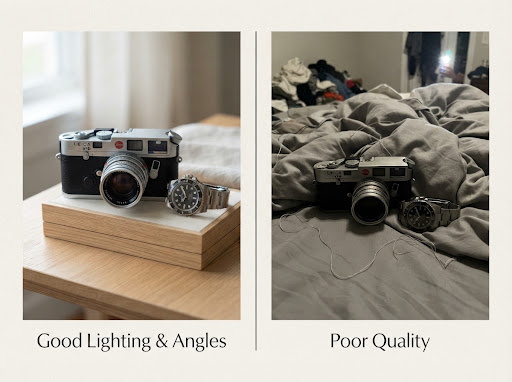
Upload Clear Photos
Natural Light
Shoot near a window for soft, clean visibility.
All Angles
Show details, tags, and any unique features.
Neutral Backdrop
A tidy background keeps the focus on your item.
Faster Sales
Statistically, great photos sell 3x faster.
Respond to Buyers
Communication is the key to conversion. Our platform rewards active sellers with higher visibility.
Reply Quickly
The first hour is critical for securing a buyer.
Be Clear
Answer questions about dimensions or shipping directly.
Close the Deal
Confirm pick-up times or shipping options promptly.
Let AI Assist Your
Listing Journey.
Unsure about pricing or how to write the perfect title? Our AI scans your photos and generates optimized descriptions that sell.
Try AI Assistant Now